
The whole day. One shared picture.
Kodo Yachts shows the captain what needs attention, gives each department its work for the day, and runs departures, tender runs and drills as checklists the whole crew can follow.
In short: a Today screen with what needs attention, readiness and the day hour by hour, and each department's tasks ticked off on a phone. Departures, tender runs and drills are launched as shared checklists and followed live, and handovers keep the next shift up to date.
Start with what needs you.
The Today screen puts the captain's day on one page, next to live readings from on board: position, fuel, water, engine hours and the weather, with the operation running now and what comes next.
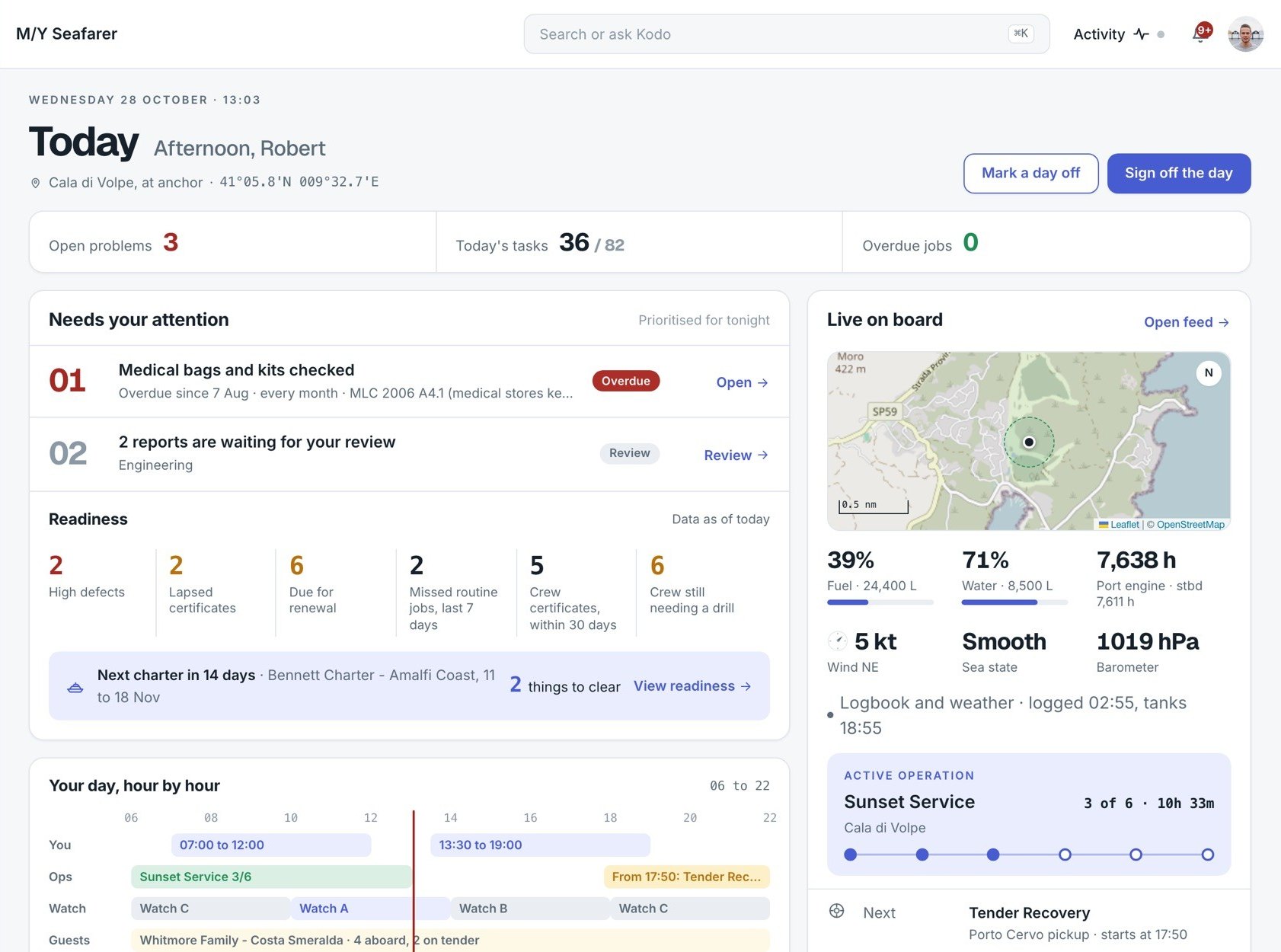
Needs your attention
Overdue checks and reports waiting for review, in order of priority, each one click from the job itself.
Readiness
High defects, lapsed certificates, missed routine jobs and crew still owing a drill, counted, with what is left to clear before the next charter.
The day, hour by hour
Your own hours, the operations, the watches and the guests' plans on one line, from early morning to late evening.
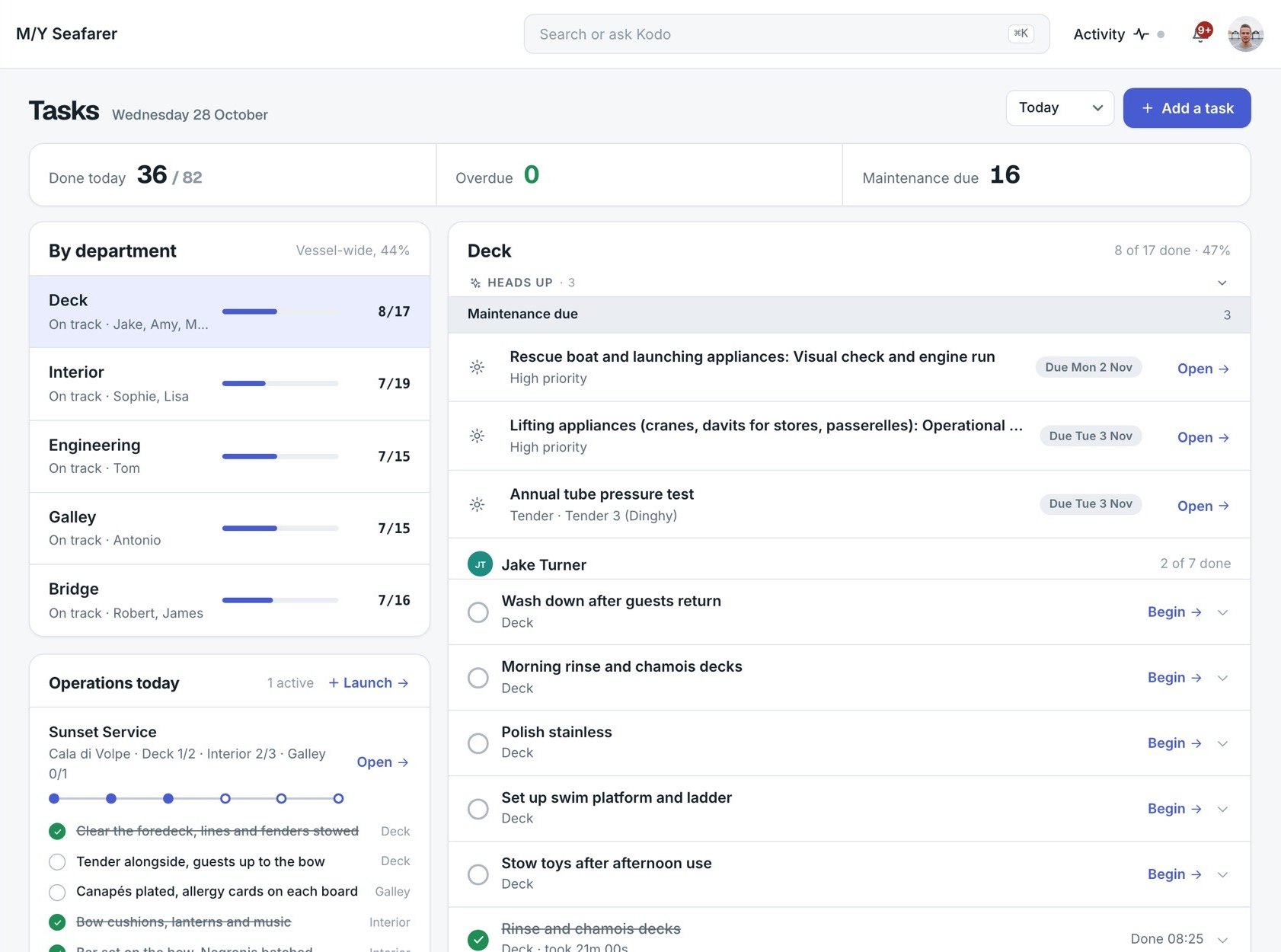
Each department, its own list.
- 01
The day by department
Deck, interior, engineering, galley and bridge each see their own work, who has each job and how far along they are.
- 02
Ticked off on a phone
Tasks and checklists are ticked as the work is done, on the aft deck or in the engine room. A finished job keeps its time and how long it took.
- 03
Maintenance in the same list
Planned maintenance coming due sits next to the day's work, with its priority and its date. More on maintenance.
Departures and tender runs, run once.
An operation is one checklist shared across departments. Launch it, each department works through its part, and the bridge follows it live instead of on the radio.
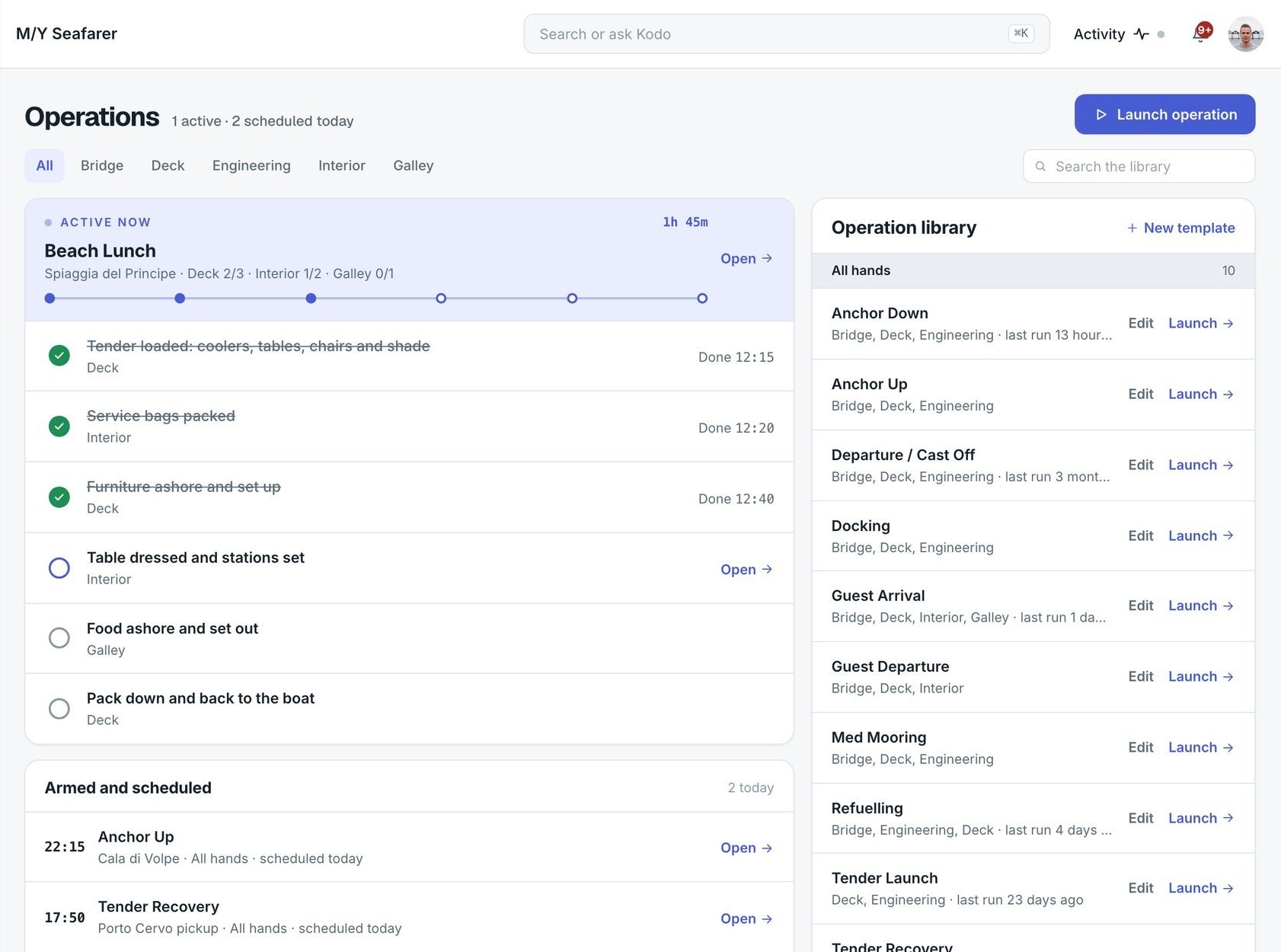
The yacht's own library
Anchoring, departures, med mooring, refuelling, guest arrivals, tender launches and drills, each written the way this yacht does it.
Launched or scheduled
Start an operation now, or set it for a time, like a tender recovery at 17:50, so it is ready when the crew are.
Followed live
Every step shows its department and when it was done. The finished operation goes into the deck log with how long it took, ready to be signed.
When the shift changes.
What one person learned during the day reaches the next, written down as part of the work rather than passed on from memory.
Department handovers
Each department hands over to the next shift in Kodo, so what is done and what is still open are written down.
Watches in the log
The officer coming on takes the watch in the deck log, so the handover time and who holds the watch are on record.
Crew changes
When someone signs off for good, the successor starts from the record. Crew handover.
Questions
What does the captain see first in Kodo?
The Today screen: what needs attention, in order, readiness counts such as high defects, lapsed certificates and crew still owing a drill, the day hour by hour, and live readings from on board such as fuel, water, engine hours and the weather.
Can the crew use it on a phone?
Yes. Each department's tasks and checklists are ticked off on a phone as the work is done, on deck, in the galley or in the engine room.
What is an operation in Kodo?
A shared checklist for work that involves several departments, such as anchoring, a departure, a guest arrival, a tender run or a drill. It is launched from the yacht's own library, each department ticks off its part, and everyone can follow its progress live.
See your own day in it.
Thirty minutes with the founder, on a working demo yacht.