 KODO
KODOFrom a photo on a phone to a verified close-out.
One workflow, shown end to end. A crew member notices something, the right department gets it, the work is done with the parts accounted for, and the captain verifies the close-out. Below is which screen creates each record, who can see it, and what the boat remembers afterwards.
Six steps, six records
Take a warm guest cabin reported by a stewardess. Here is where it goes.
Issues screen, any crew member, on a phone. She captures it as a problem with a photo. Issues can also be a near-miss, an observation, a preference or a pattern someone is watching. It creates an issue record and auto-routes to the department that will fix it, in this case engineering, with a Suggested hint. Who sees it: vessel-wide roles see every report, the head of engineering sees their department's, and the stewardess sees what she logged.
Issues screen, a reviewer. The chief engineer converts it into a maintenance job with parts, a priority and a due date. A reviewer can also convert it to a one-off task or a multi-day project, mark it under review, or dismiss it with a logged reason. A head of department can escalate it to the captain. Conversion creates a real linked row and notifies the stewardess who reported it.
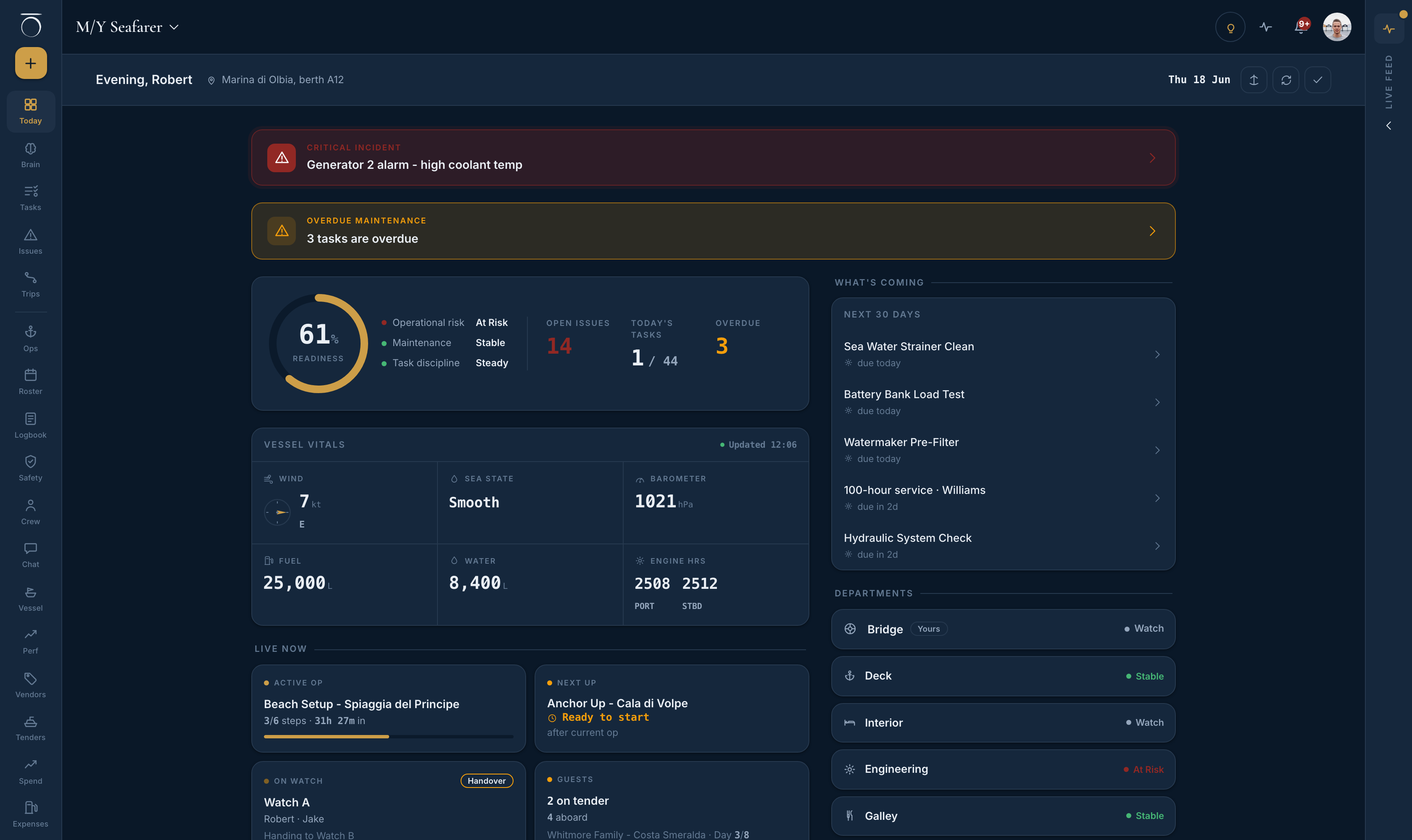
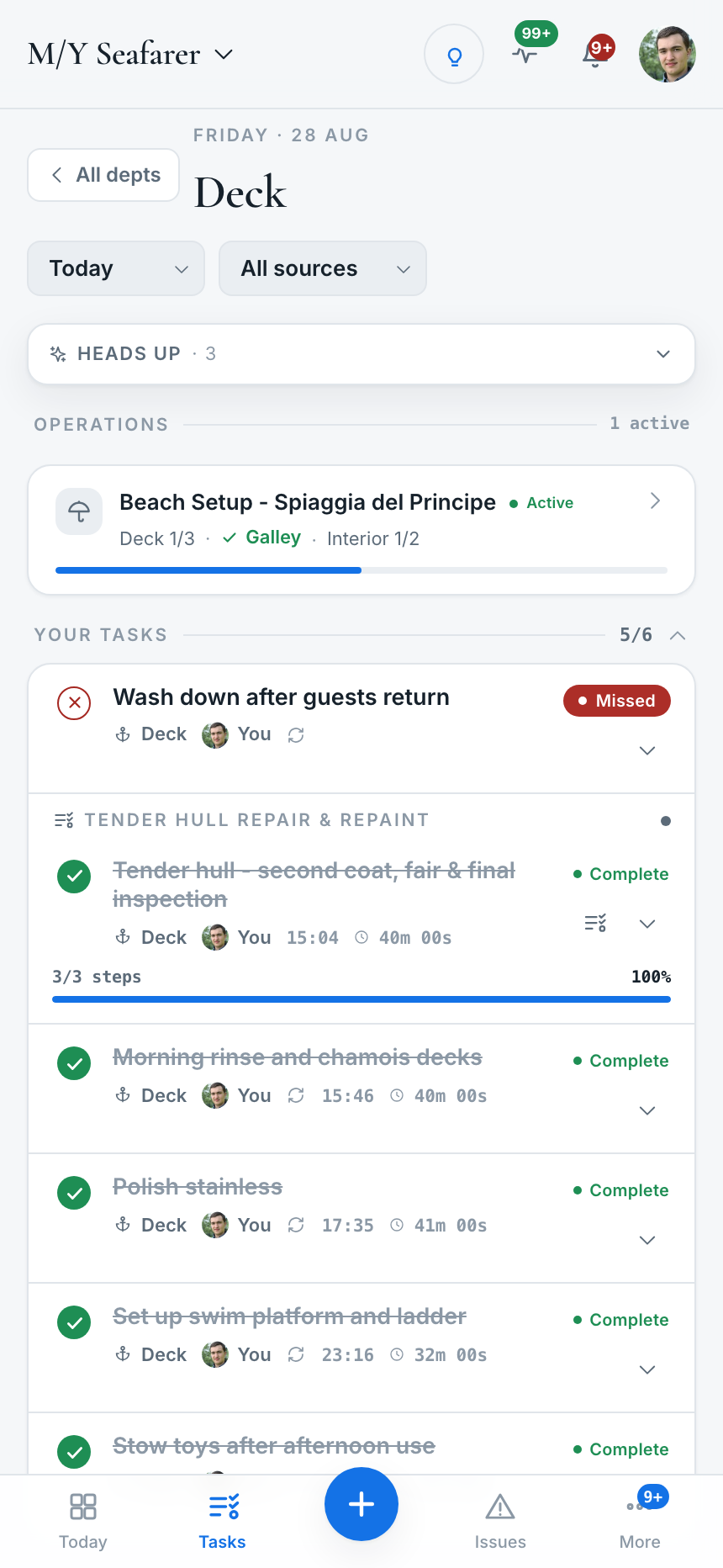
Tasks screen, the engineer. The job appears in the engineering list under the maintenance source filter. Begin, pause, resume and complete, with an optional note and photo. Pausing excludes breaks from the recorded duration. Deferring needs a reason and the captain's approval. If the job crosses days it stays on the list as an open job with an age badge; it never auto-misses. Task actions queue offline and sync when the connection returns.
Vessel screen, Inventory tab, and the Vendors screen. A part used on the job is recorded as a consume movement that can reference the job, so the spares count and the work are linked. Inventory only changes through receive, consume and count movements, which leaves an audit trail. If a contractor came aboard, the engineer logs a service record against that vendor, and the vendor page shows the issues they helped resolve.
Issues screen, captain or officer. Resolve with notes, record a corrective action (what changed so it cannot recur), then verify the close-out. Auditors count an incident closed only with that on file. An insurer-ready incident pack exports to PDF from the same screen.
The boat remembers. The Vessel screen shows a per-system status dot from live service data. The crew home shows an overdue maintenance bar when something slips. The vessel history report carries a maintenance ledger. The owner's monthly PDF summarises operations and stores. If the job was refit work, it can be packaged into a numbered contractor-facing yard worklist PDF.
Manuals, photos and past work
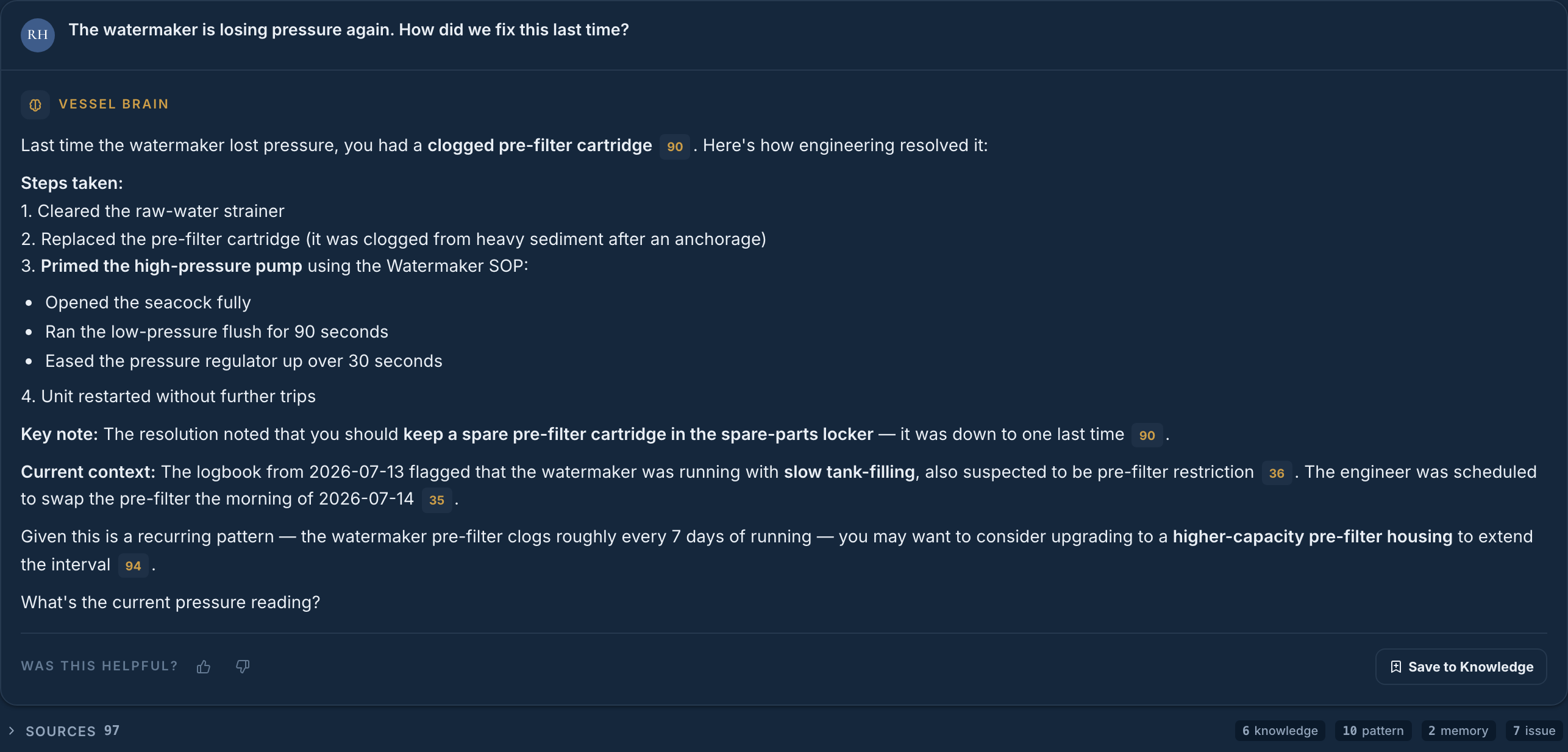
Manuals and procedures. Upload the boat's PDFs to the Brain and they become answerable. Each document shows how many times it has been cited. A procedure PDF can have its tasks extracted straight into recurring tasks, so the manufacturer's service routine becomes the engineer's schedule. A document flagged as controlled carries a revision label and a count of which crew have acknowledged reading it.
Past work. Ask the Brain in plain language. The question is searched across roughly two dozen source types at once, including issues, maintenance, operations, vendor service history and notes, and the answer cites each source so you can open it. Hard facts outrank narrative, a captain-verified note outranks an unconfirmed one, and older material fades in ranking but never disappears. There is a standing reminder on screen to verify anything safety-critical against the official record.
Photos. The photo taken at capture stays on the issue, and a photo added on completion stays on the job, so both open from the record when someone asks what the fault looked like. Receipts photographed for the spend ledger open through short-lived signed links.
Acting on the answer. The Brain can log an issue or reassign a task on request. It proposes the change, shows exactly what it will write, and does nothing until you confirm. Every action is recorded in an audit log with before and after values, and is reversible.
What is built, and what is not
- Defect and near-miss capture with photo, auto-routing, escalation, corrective action and verified close-out
- Planned maintenance: a service due date per system, amber inside 14 days, red when overdue, on the Vessel screen
- Machinery round: the engineer's daily fuel, water, engine and generator hours with a computed run-rate, queued offline
- Spares and inventory as a movement ledger, with consumes linked to jobs
- Vendors with service history, insurance expiry warnings and a gone-cold nudge
- Tenders: a readiness board with pre-launch and post-recovery checks, trips and hours
- Incident pack, yard worklist and vessel history report to PDF
- Offline: Work that can't wait continues on the device and syncs when the connection returns, and everything from the last sync stays readable. Full offline access to every screen is still being built.
- Today that means task actions, machinery readings, fault reports, checks and the statutory books queue without signal. Browsing every other screen offline does not yet.
- Anything not on this page should be treated as not built. Ask and you will get a straight answer, including the parts that are in progress.
The close-out loop above is also what an ISM auditor means when they ask whether your reporting system changes anything. The SMS audit checklist walks through the rest. For what the incoming engineer inherits after a crew change, see crew handover.
Asked by engineers and captains
Can any crew member report a defect?
Yes. Anyone aboard can capture a problem, a near-miss, an observation or something they are watching, with a photo, from the Issues screen on their phone. It routes to the department that will fix it and the reporter is notified when a reviewer converts it into a job. Crew see the reports they logged; heads of department see their departments; captain and officer see everything.
Does KODO replace a dedicated planned maintenance system?
It carries planned maintenance as part of the whole operation: a service due date per system with a status that turns amber inside 14 days and red when overdue, the engineer's daily machinery round with engine and generator hours, a spares ledger that only changes through movements, and a vendor book with service history. If your leading problem is a deep, hour-based PMS for a large engineering department, compare it against a dedicated system before deciding.
What does the owner or management company see of maintenance?
Overdue maintenance feeds the readiness score the owner sees, and spend that needs their money arrives as an approval with the captain's note, a photo and its effect on the annual budget. They do not see raw issue or maintenance counts. The monthly PDF summarises operations, safety and stores for the month from the vessel's own records.
See a defect closed out on a live demo vessel
Thirty minutes on M/Y Seafarer, a demonstration vessel. Report a fault from a phone, watch it land in engineering, convert it, complete it with a part consumed, and verify the close-out.
Book a 30-minute demo